
How To · Technoogies
Adjust/Calibrate Gray-scale and Color on Multiple Displays
I like to use a lot of displays. Four is a good number. Three across the desktop and one graphics pad in my keyboard tray. My monitors are getting old though, so I have to tune them once in a while, and I was looking for a quick and sloppy way to do that. That’s why I created this color bar, so I could spread it across all of my displays, and quickly adjust the colors to be a bit more equal without the hassle of fine-tuning. This certainly isn’t a replacement for the fine-tuning needed from time to time. An actual color calibration tool that scans your screen is always better. Expensive!
The reason I did it in HTML rather than in an image, was so the colors wouldn’t be distorted in any way. I can’t speak to the way a given browser might represent the colors. I’m assuming they’re going to remain the same across all browsers. Ha!
How To Get Started
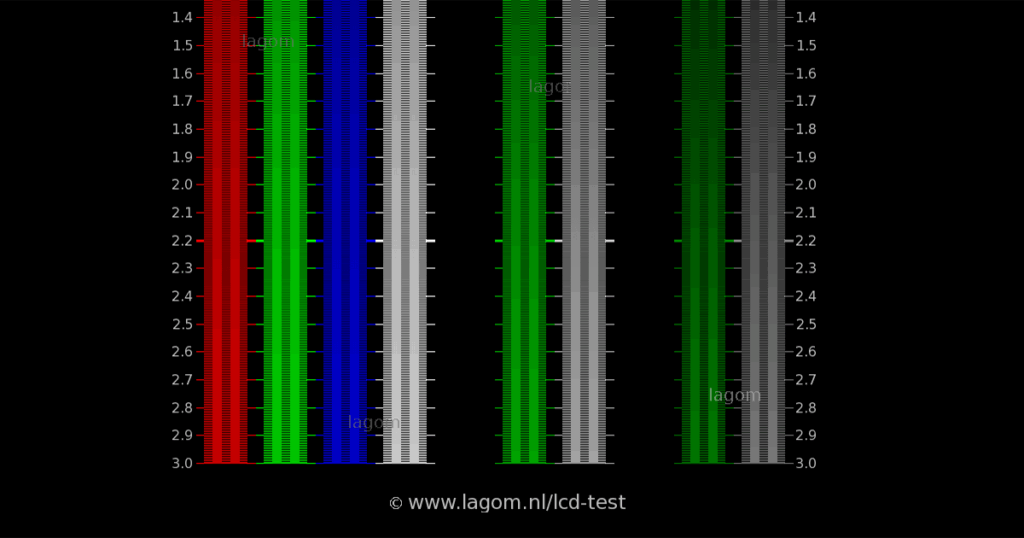
Open this post in a browser, same for lagom.nl, one on each of your displays, or drag a browser window across all monitors to see the variation in black, white, gray, and colors. Use the Gamma graphic from lagom.nl, but don’t be surprised if you gamma settings don’t quite hit 2.2, unless your using a really good display. Mine are really old , but I’m too cheap to but new ones right now.
Update: I’ve been forced to buy new monitors.
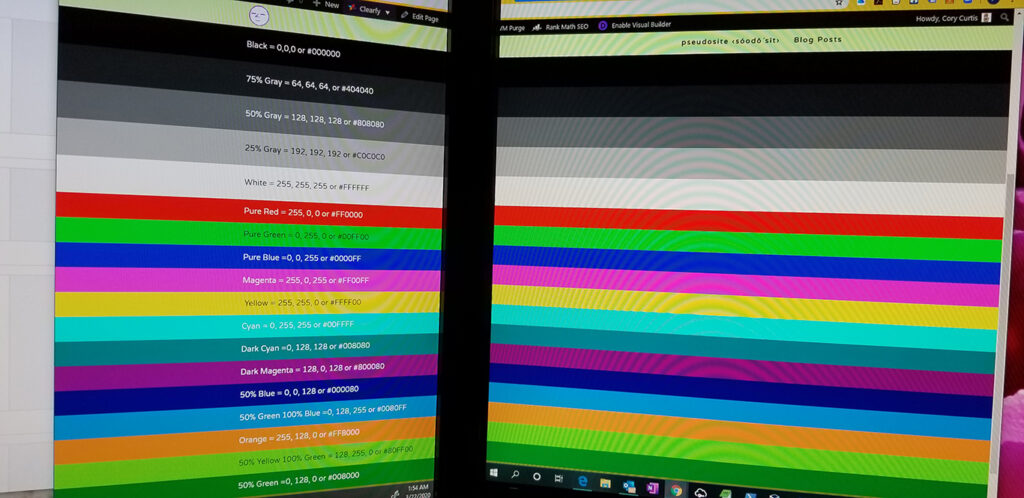
I like to place the browser right in between two of my screens so I can easily see the variations in my grays and colors. Work on the grays matching and looking, well, grey and equal in hue; not reddish, greenish, or blueish. The rest of the colors will line up typically. Remember, this is just for making the colors look equal in hue, not perfect in color. You need a color metering tool for that kind of detail.
Color Matching Bars
Black = 0,0,0 or #000000
75% Gray = 64, 64, 64, or #404040
50% Gray = 128, 128, 128 or #808080
25% Gray = 192, 192, 192 or #C0C0C0
White = 255, 255, 255 or #FFFFFF
Pure Red = 255, 0, 0 or #FF0000
Pure Green = 0, 255, 0 or #00FF00
Pure Blue =0, 0, 255 or #0000FF
Magenta = 255, 0, 255 or #FF00FF
Yellow = 255, 255, 0 or #FFFF00
Cyan = 0, 255, 255 or #00FFFF
Dark Cyan =0, 128, 128 or #008080
Dark Magenta = 128, 0, 128 or #800080
50% Blue = 0, 0, 128 or #000080
50% Green 100% Blue =0, 128, 255 or #0080FF
Orange = 255, 128, 0 or #FF8000
50% Red 100% Green = 128, 255, 0 or #80FF00
100% Green 50% Blue = 0, 255, 128 or #00FF80
50% Green =0, 128, 0 or #008000
50% Red 50% Green =128, 128, 0 or #808000
One response to “Adjust/Calibrate Gray-scale and Color on Multiple Displays”
Nice, Very helpful color patterns to adjust monitors with.
Thanks man!


Leave a Reply