
Software
Photoshop Error ‘There was a problem with Generator’ when launching
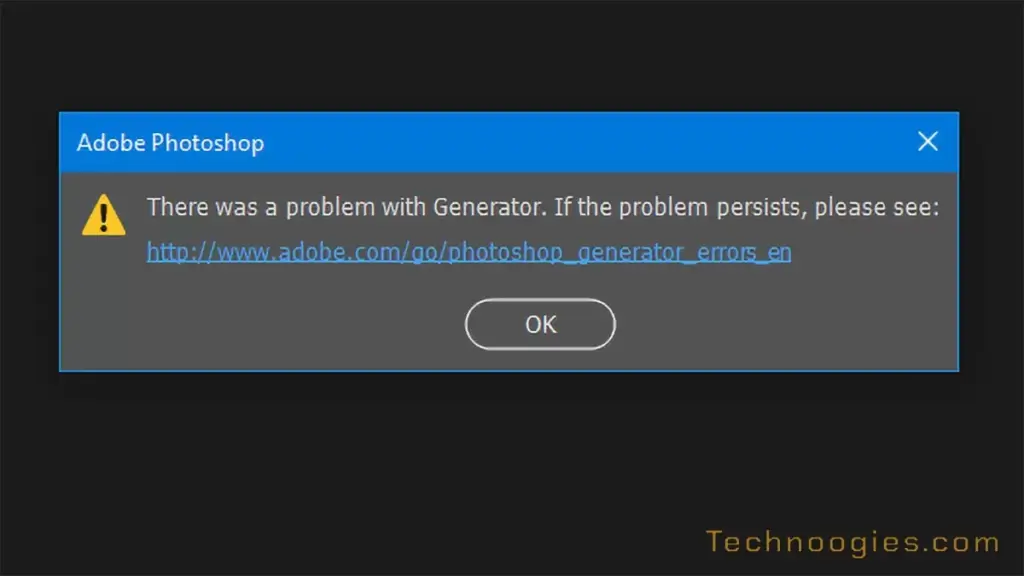
There was a problem with Generator. If the problem persists, please see: http://www.adobe.com/go/photoshop_generator_errors_en
Adobe has been releasing a lot of updates lately. As I am writing this there is another Photoshop update in the Creative Cloud update queue. I’m going to run it. Hey, it didn’t blow up my workspace this time. Yippie!
After one said update, I got this dreaded ‘There was a problem with Generator. If the problem persists, please see: http://www.adobe.com/go/photoshop_generator_errors_en‘. You can close it and still do stuff, but you won’t be able to export layers, groups, and instantly create assets from these items. Take a looksee at Generate image assets from layers for a better idea on its advantages to speed things up. At any rate, none of the solutions in the link I followed worked for me.
My Solution
Uninstall / Re Install
I know, right? Simple, but effective. Well, there goes the workspace, but it worked. I do have a tool bar file at least to easily put that back in place.
Just open the Creative Cloud Manager, find Photoshop, which is at the top by default, click the three-dot menu and the ‘Uninstall’ is at the bottom of it. Click on it to remove Photoshop. When done, go back to the Creative Cloud Manager and highlight the ‘All apps’ in the left column menu and re install Photoshop.

Leave a Reply